S/MIME Certificates.
The enterprise standard.
Encrypt and digitally sign your emails with S/MIME X.509 certificates - the trusted standard in business environments. Supported by Outlook, Apple Mail, Thunderbird and all major email clients. eclipso Mail Europe supports S/MIME in all tariffs.
S/MIME Features
End-to-end encryption
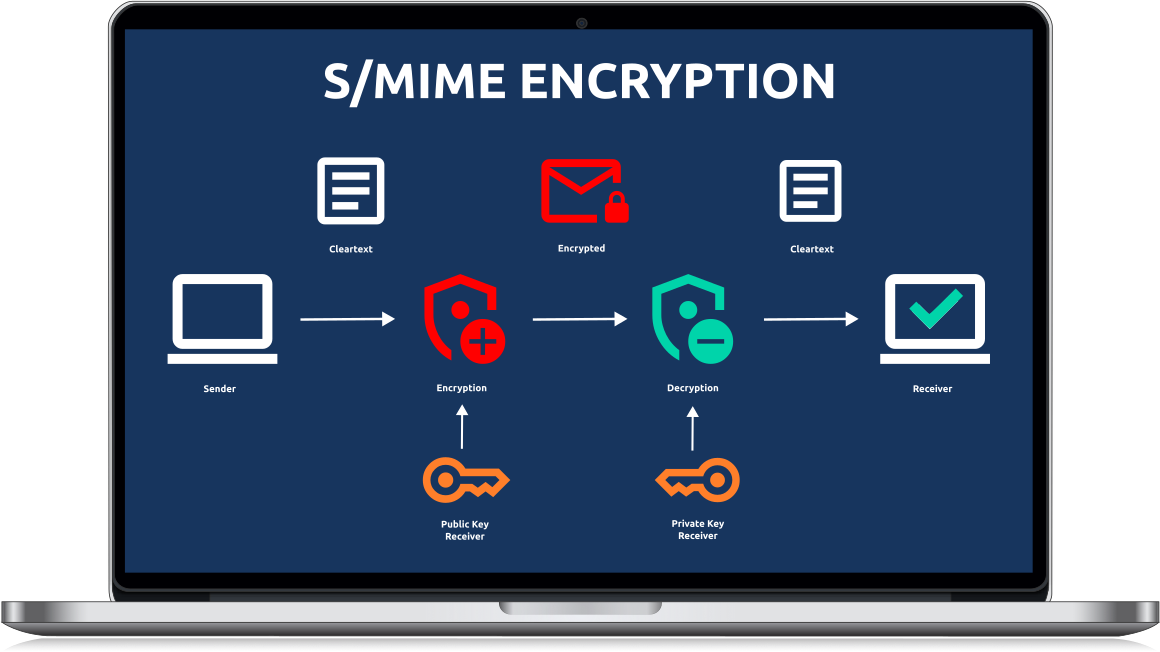
S/MIME encrypts the email content itself - not just the transmission path. Only the intended recipient with their private key can read the message.
Digital signature
A digital signature proves that the email genuinely came from you and has not been tampered with in transit. Legally valid in many jurisdictions.
Maximum compatibility
S/MIME is built into Outlook, Apple Mail, iOS Mail and all enterprise email clients - no additional software required for your recipients.
Transport encryption vs.
Content encryption.
There are two levels of email security. Transport encryption (TLS) protects the data path - but the email is readable on each mail server. S/MIME content encryption protects the email itself: only the recipient can decrypt it, regardless of which servers it passes through.
Certificate types explained
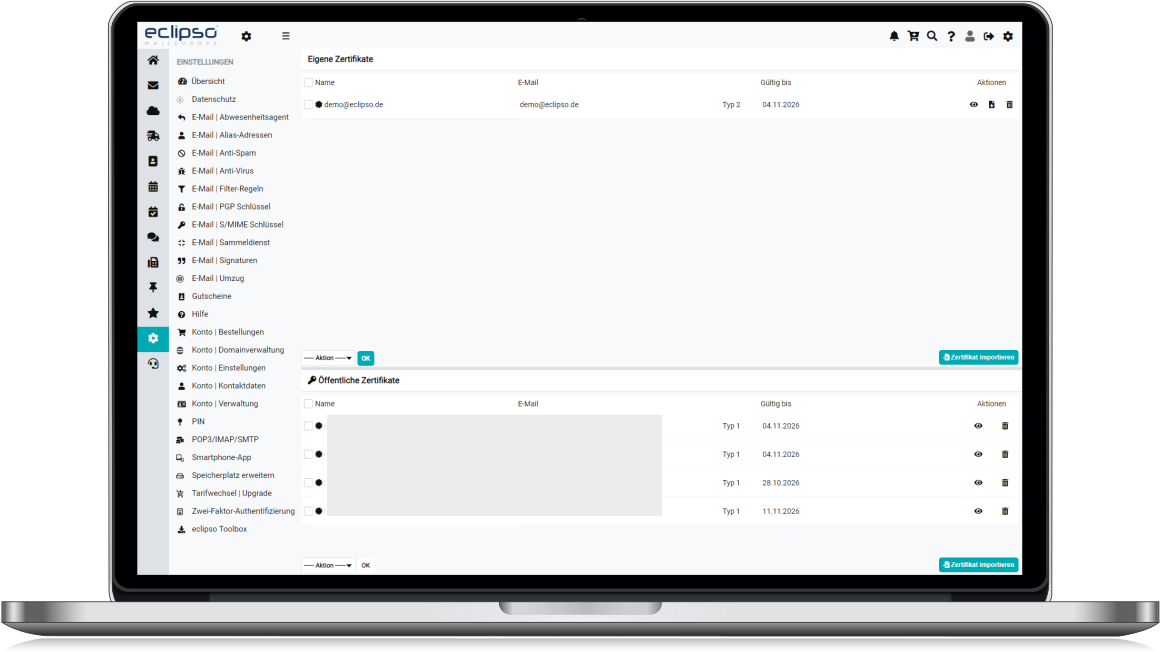
S/MIME certificates differ in their validation level – this determines how much trust recipients and email clients place in your digital identity.
Email validation
The CA only verifies that you control the email address. Fast and straightforward – no ID required.
- Suitable for private individuals
- Fast issuance (minutes to hours)
- Free options available
- No identity verification
- Not suitable for legal purposes
Class 2 – Identity validation
Your identity is verified via official ID. The certificate carries your confirmed name, providing a higher level of trust.
- Confirmed name in certificate
- Recommended for professional use
- Legally recognised in many contexts
- GDPR Art. 32 compliant
- Requires proof of identity
Organisation validation
Both company and individual are verified via commercial register and ID. The certificate is issued in the company name.
- Company name in certificate
- Highest trust level
- EPKI management for enterprises
- For regulated industries
- Requires company documents
What to look for when choosing a certificate
-
Trust store inclusion – The CA must be included in the Mozilla, Microsoft and Apple trust stores. Only then will your certificate be trusted by all major email clients without manual configuration.
-
Key length – At least 2048-bit RSA, recommended 4096-bit RSA or modern ECC (P-256 / P-384). eclipso supports all current key types.
-
Revocation service (OCSP / CRL) – Ensures email clients can check in real time whether your certificate is still valid and has not been revoked.
-
PKCS#12 export – The certificate must be downloadable as a .p12 / .pfx file so you can import it into eclipso and other email clients.
-
Note on expiry: Even after a certificate expires you can still decrypt previously received encrypted emails – as long as you keep the private key safe. Create a backup in good time.
Recognised certificate authorities
S/MIME certificates are issued by accredited CAs. The following providers are trusted in all major trust stores:
Built into every major email client
S/MIME is an industry standard - no software installation required for your recipients.
Microsoft Outlook
Built-in S/MIMEApple Mail
macOS & iOSMozilla Thunderbird
Built-in S/MIMEiOS Mail
iPhone & iPadExchange / 365
EnterpriseAny S/MIME client
RFC 5751 standardFrequently Asked Questions
Class 2: Additionally validates your identity (ID or company registration). Recommended for professional use, legal validity and corporate environments.
Secure. Signed. Professional.
eclipso Mail Europe supports S/MIME in all tariffs - including the free account. Import your certificate, configure defaults once, and communicate securely from your very first email.
Download Our Free App Now
Our app for iOS and Android includes the most important features and gives you mobile access to your emails, contacts, photos and files.
Download now for free from the Apple App Store or Google Play Store.
App Store Google Play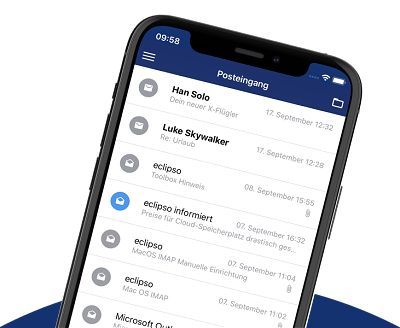
No Subscription. Full Cost Control. Secure and Fast Payment.
All premium features, plans and packages are available on a prepaid basis. You don't sign up for a subscription that automatically renews. No unexpected charges, always full and transparent cost control. If you have booked one of our affordable premium plans Connect, Premium or Business, the booking period ends automatically. 14 days before expiration, you will be notified by email and can extend the term.