Email Sync via IMAP
All mail folders, messages and read status are synchronised across every device in real time using the IMAP protocol.

eclipso Sync keeps your mailbox, address book and calendar in real-time sync across all your devices. Works with iPhone, Android, Outlook, Thunderbird and all standard email clients. Based on open, proven internet standards: IMAP, CalDAV and CardDAV.
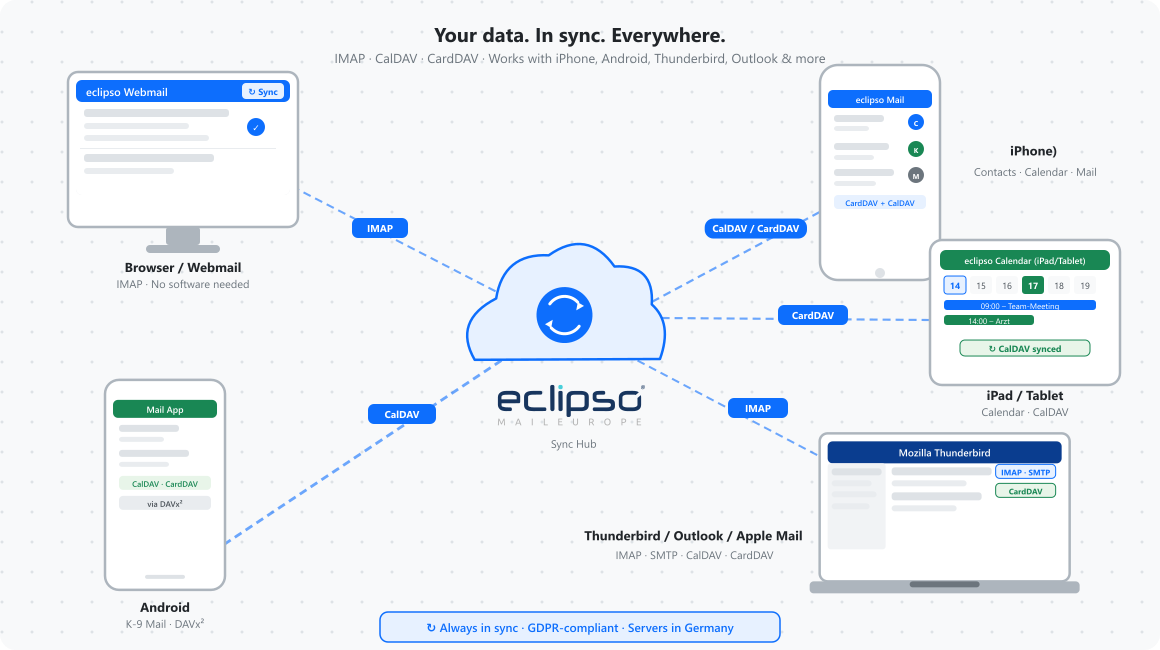
Emails, contacts and calendar events are kept in sync across all connected devices automatically - no manual updates required.
iPhone, iPad, Android, Outlook, Thunderbird, Apple Mail - eclipso Sync works with virtually any device or email client that supports open standards.
eclipso Sync is available at no extra cost in all paid premium plans: eclipso Connect, Premium and Business. 1
In today's world, people switch between smartphones, tablets, laptops and desktop computers several times a day. eclipso Sync ensures that your emails, contacts and appointments are identical and up to date on every one of these devices - automatically, without any manual effort.
One sync solution for mail, calendar and contacts - across all operating systems.
All mail folders, messages and read status are synchronised across every device in real time using the IMAP protocol.
Appointments, reminders and birthdays sync instantly between your eclipso account and all connected calendar apps.
Your full address book - names, phone numbers, emails, notes - stays in sync on all devices via CardDAV.
Native support in iPhone/iPad settings. Android via K-9 Mail and DAVx² - setup takes just a few minutes.
Configure Microsoft Outlook or Mozilla Thunderbird with the eclipso IMAP and CardDAV settings in minutes.
All sync connections use SSL/TLS encryption. Servers are located in Germany. Fully compliant with GDPR and German data protection law.
Use the tabs below to find the server settings for your preferred sync protocol.
| Setting | Value |
|---|---|
| Incoming server (IMAP) | mail.eclipso.de |
| Port | 993 SSL/TLS |
| Outgoing server (SMTP) | mail.eclipso.de |
| SMTP Port | 465 SSL or 587 STARTTLS |
| Username | your-full-address@eclipso.(selected ending) |
| Password | Your eclipso login password |
| Authentication | Password / Required |
IMAP is available in all paid premium plans. 1 Messages remain on the server and stay in sync across all devices. Compatible with Outlook, Thunderbird, Apple Mail, iOS Mail, Gmail app and all standard IMAP clients.
| Setting | Value |
|---|---|
| CalDAV server URL | www.eclipso.de |
| Full CalDAV server URL | https://www.eclipso.de/interface/caldav.php |
| Username | your-full-address@eclipso.(selected ending) |
| Password | Your eclipso login password |
| Encryption | HTTPS (SSL/TLS) |
CalDAV syncs appointments, reminders and birthdays. Compatible with iOS Calendar, Apple Calendar (macOS), Google Calendar app, and Android via DAVx². Thunderbird supports CalDAV natively since version 78.
| Setting | Value |
|---|---|
| CardDAV server URL | www.eclipso.de |
| Full CardDAV server URL | https://www.eclipso.de/interface/carddav.php |
| Username | your-full-address@eclipso.(selected ending) |
| Password | Your eclipso login password |
| Encryption | HTTPS (SSL/TLS) |
CardDAV syncs your full address book including names, phone numbers, email addresses and notes. Works natively on iOS and macOS. Android users can use DAVx² (free, open source). Thunderbird supports CardDAV natively since version 91.
Works on any device - quick and straightforward.
Register for a free account or upgrade to a premium plan to unlock IMAP, CalDAV and CardDAV sync.
Go to the account settings in your email app, calendar or contacts app. Select IMAP, CalDAV or CardDAV as the account type.
Enter the server address, your email address and password. Your data syncs automatically on first connection.
Sign up for eclipso now and enjoy IMAP, CalDAV and CardDAV sync across every device you own.
Create free accountOur app for iOS and Android includes the most important features and gives you mobile access to your emails, contacts, photos and files.
Download now for free from the Apple App Store or Google Play Store.
App Store Google Play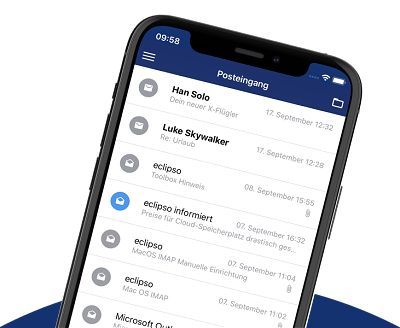
All premium features, plans and packages are available on a prepaid basis. You don't sign up for a subscription that automatically renews. No unexpected charges, always full and transparent cost control. If you have booked one of our affordable premium plans Connect, Premium or Business, the booking period ends automatically. 14 days before expiration, you will be notified by email and can extend the term.