Stay up to date
Desktop notifications for every new email.
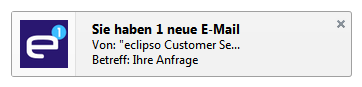
See new eclipso messages immediately in a browser notification, even when your mailbox is minimized or running in the background.
A quiet signal when something important arrives
Enable the feature in two clicks and keep your attention where it belongs.
Instant awareness
A pop-up notification lets you know about incoming email without repeatedly checking your inbox.
Two-click setup
Activate desktop notifications in your eclipso account under Settings and General.
Works in your browser
Use current versions of Chrome, Firefox, Opera or Safari while eclipso stays open in the background.
Step 1
Turn on desktop notifications in eclipso.
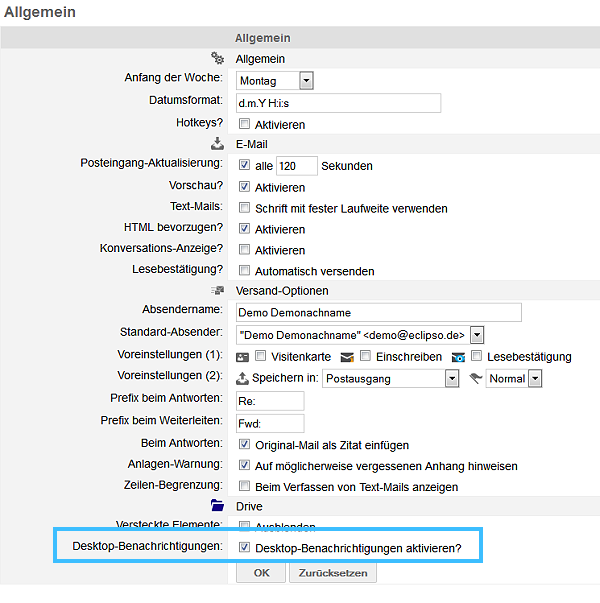
Open Settings → General in your eclipso account and activate desktop notifications.
After activation, your browser will ask for permission to show notifications. Confirm this request to finish the setup.
Give your browser permission
The final step is controlled by your browser and can be changed at any time.
Allow notifications
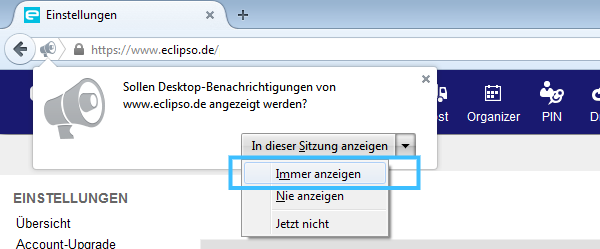
When Firefox or another supported browser asks for permission, choose the option that always allows notifications for eclipso.
Change or disable it
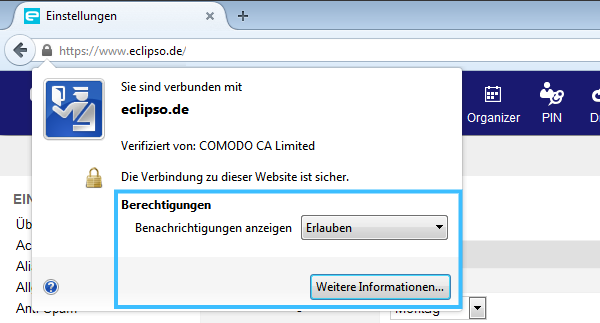
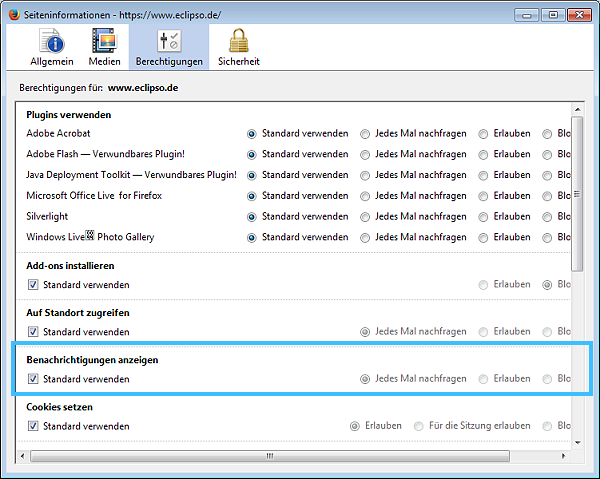
Click the lock icon beside the address bar, open the site information and adjust the notification permission under Permissions.
Never miss a new message.
Create your free eclipso account and try desktop notifications today.
Create free account